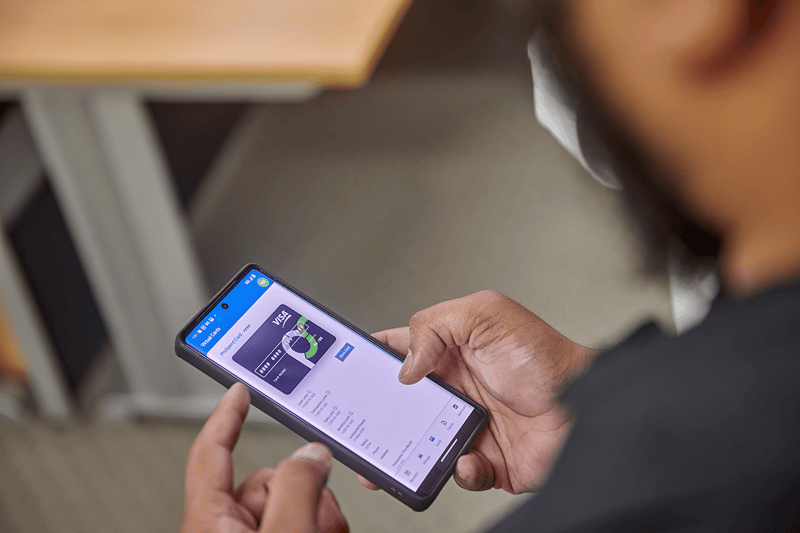
For Australian finance teams managing employee spend, virtual cards offer real-time controls and instant issuance that physical cards cannot match. Here is how the two card types compare across security, spend limits and everyday use cases.
Virtual Card vs Physical Card
What is a virtual card?
A virtual debit card is essentially a digital version of a physical card. It also comes with a card number, expiration date and CVV. Since it’s a digital version, a virtual card lives in your mobile banking app.
Virtual cards are a digital solution that creates a unique number with every transaction, unlike a physical card that has a fixed card number.
What is a physical card?
A physical card is a traditional card used for purchases. It contains the cardholder’s name, the 16-digit card number, an expiration date, a CVV and a magnetic strip. As its name suggests, a physical card is a regular plastic card issued by banks for clients to manage their spending.
Clients can use physical cards to withdraw cash from any ATM and make purchases from online and point-of-sale transactions.
Virtual card vs physical card comparison
| Feature |
Virtual Card |
Physical Card |
| Issuance speed |
Created instantly and ready to use online or through a mobile wallet |
Must be ordered, produced and delivered before use |
| Spend limits |
Limits can be set by amount, merchant, category or expiry date |
Usually has an overall card limit, with fewer transaction-specific controls |
| Where accepted |
Online and anywhere compatible mobile wallets are accepted |
In-store, online and at ATMs where the card network is accepted |
| Fraud risk |
Card-specific limits and instant freezing reduce exposure if details are compromised |
Can be lost, stolen or copied, potentially exposing the full card limit |
| Best use case |
Subscriptions, online purchases, one-off payments and pre-approved employee spend |
In-person purchases, business travel, cash withdrawals and merchants that do not accept mobile wallets |
Pros and Cons
Pros and cons of virtual cards
Since virtual cards are a fairly new way to make payments, it’s understandable that some customers still feel unsure about getting into them. Here are the pros and cons of virtual cards that may help you with your decision.
| Pros: |
Cons: |
- Physical cards can be stolen and are more vulnerable to scams.
- It can take weeks for a physical card to be ordered and delivered.
- You can’t easily configure limits such as selecting a date to automatically freeze your card or applying rules that restrict it from working for particular industries and/or currencies.
- They’re not environment-friendly.
- A physical card is another thing you have to bring each time, unlike a virtual card that you can easily access through your phone.
|
- You can only use virtual cards for online purchases.
- Virtual cards rely on the issuing bank’s technology, so if the latter is having system issues, your virtual card may not work.
- Some merchants may not accept payments through virtual cards.
- It may be difficult to trace who initiated each transaction.
- Virtual cards can be easily accessed by every employee.
|
Pros and cons of physical cards
Many customers are used to purchasing using physical cards, and while they’re the popular option, they come with their share of pros and cons.
| Pros: |
Cons: |
- Most merchants worldwide accept physical cards.
- Many users feel reassured by the presence of physical cards, knowing these are tangible and can be kept and hidden.
- With a physical card, you can withdraw cash from any ATM—unlike with a virtual card which you can only use on contactless-enabled ATMs.
- Physical cards are more convenient for customers without smartphones.
- Your physical card doesn’t rely on your phone, so you can still make purchases even if your phone battery dies.
|
- Physical cards can be stolen and are more vulnerable to scams.
- It can take weeks for a physical card to be ordered and delivered.
- You can’t easily configure limits such as selecting a date to automatically freeze your card or applying rules that restrict it from working for particular industries and/or currencies.
- They’re not environment-friendly.
- A physical card is another thing you have to bring each time—unlike a virtual card that you can easily access through your phone.
|
How virtual card expense management works.
A virtual card is a digital payment card with a unique card number generated instantly by the finance team.
For Australian businesses, virtual card expense management works like this: a finance team member or manager issues a virtual card to an employee through the platform, sets a spend limit and permitted merchant category, the employee uses the card for the approved purchase, the transaction appears in the platform in real time, the employee captures a receipt on mobile, the system matches the receipt to the transaction and codes it to the correct cost centre or GL code, and the data syncs automatically to Xero or MYOB with no manual re-entry required.
| Step |
What happens |
| 1. Card issued |
A finance manager creates a virtual card with an approved category and defined spend limit. |
| 2. Employee pays |
The employee uses the card number online or through a mobile wallet for the approved purchase. |
| 3. Transaction captured |
The transaction appears in the platform in real time, giving finance immediate visibility without waiting for an expense claim. |
| 4. Receipt matched |
The employee photographs the receipt using their phone, and the system automatically matches it to the transaction. |
| 5. Coded and synced |
The transaction is coded to the correct cost centre or GL code and synced to Xero or MYOB. |
When to use a virtual card vs a physical card
If you’re currently using a physical card for your business and thinking of switching to a virtual card, check out this guide.
Use a virtual card when:
- Paying for software subscriptions or recurring vendor costs
- Giving employees access to funds for an approved purchase
- Making one-off online purchases without sharing a primary card
- Setting specific limits by amount, merchant, category or timeframe
Use a physical card when:
- Employees regularly make purchases in person
- Staff travel and may encounter merchants that do not accept mobile wallets
- Cash withdrawals are occasionally required
- A phone or internet connection may not always be available
ProSpend virtual cards give finance teams real-time spend controls and instant issuance.
Thinking of getting a virtual card for your business? Book a demo with us.
FAQs
How does virtual card expense management work?
Finance creates a virtual card with limits based on the approved purchase, merchant or category. Once used, the transaction appears in the expense platform in real time. The employee captures the receipt on mobile, and the system matches, codes and syncs the transaction to the accounting platform.
How do virtual spend cards work for employees?
The employee receives a virtual card number with predefined spending limits and uses it for the approved purchase. After paying, they photograph the receipt using their phone. The receipt is matched to the transaction automatically, removing the need to complete a separate manual expense claim.
What is the difference between a virtual card and a physical card for business expenses?
As the comparison table shows, virtual cards can be issued instantly and provide more granular spend controls, making them well suited to online and pre-approved purchases. Physical cards are better suited to in-person spending, travel and situations where mobile wallets are not accepted.