







One Unified Platform for spend management and proactive control

Expense Manager

AP Manager

ProSpend + NetSuite

NetSuite Integration Built for ANZ Finance Teams

One platform for expenses, invoices, purchase orders and cards, connected to NetSuite. Manage spend in ProSpend before approved data reaches your ERP.

netsuite-hero_

Trusted by ANZ finance teams

  • Friends School
  • Monash College
  • ASPA-Loop-700px-1
  • Kempsey Adventist School
  • Macquarie University
  • Port Macquarie Adventist School
  • ProSpend Website Logo Carousel - Stakeholder Logos
  • University of Queensland

What you get with NetSuite and ProSpend

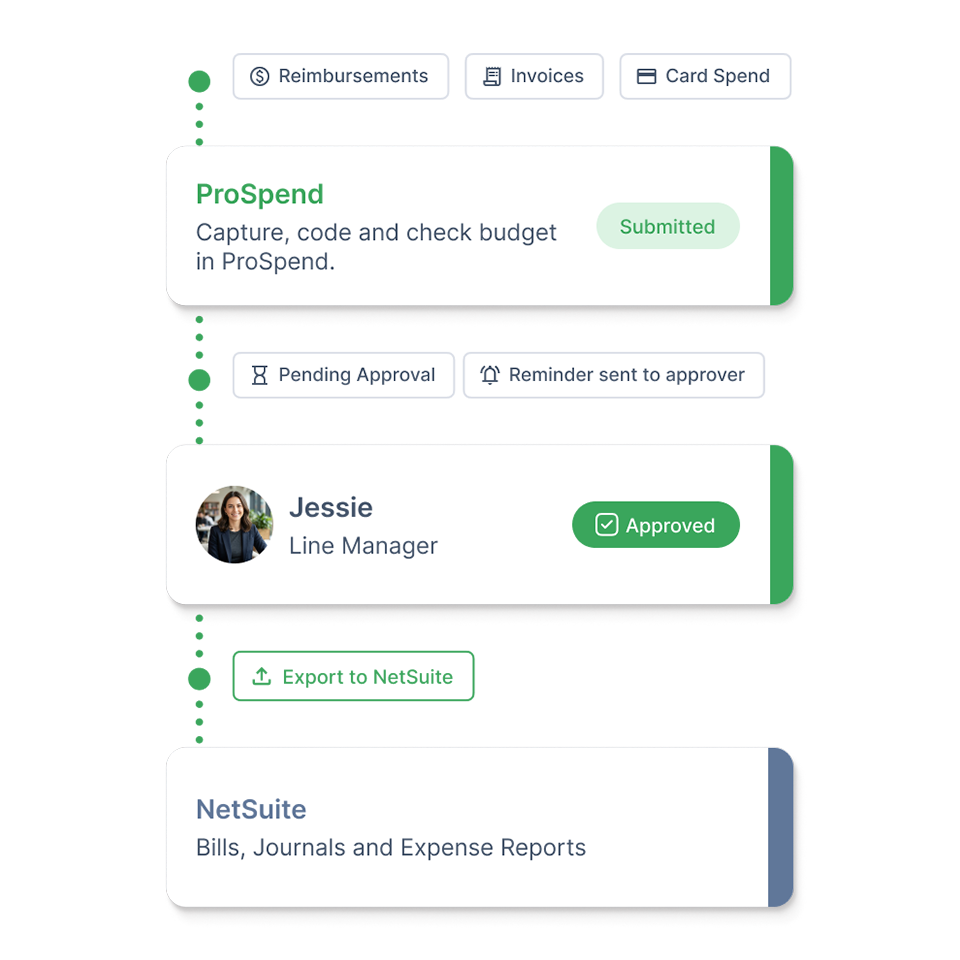
Manual invoice entry, email approvals and spreadsheet card reconciliation create work long after spend reaches NetSuite. ProSpend moves that work earlier, so you capture invoices, control purchasing, manage expenses, and reconcile card transactions with approvals, coding and supporting documents already in place.

search_insights_48dp_FFF_FILL0_wght400_GRAD0_opsz48

Manage spend before it reaches NetSuite

Capture receipts, coding and approvals in ProSpend before approved data is exported. Finance gets the supporting detail earlier and spends less time chasing missing information.

bolt_boost_48dp_44546A_FILL0_wght400_GRAD0_opsz48

Apply your NetSuite coding structure

Code against the GL accounts, departments, classes and locations your team uses in NetSuite, plus configured custom fields and segments, to reduce coding rework after posting.

data_check_48dp_FFF_FILL0_wght400_GRAD0_opsz48

Connect through the SOAP API

Export approved bills, journal entries and expense reports to NetSuite through an API integration configured to your environment, with sandbox testing available before go-live.


Bring your NetSuite setup into ProSpend

Synchronise supplier records from NetSuite into ProSpend, and configure your GL accounts, departments, classes, locations and custom segments to match your NetSuite structure. Approved records are then exported to NetSuite as bills, journal entries or expense reports.


Reduce manual invoice entry

ProSpend uses AI-powered OCR scanning to extract key invoice details, including supplier, invoice number, line items, amounts and GST. Suppliers are matched against NetSuite master data, and when a field needs review, ProSpend’s Human in the Loop process helps resolve the exception before the invoice moves forward.


Catch potential duplicates and bank-detail discrepancies earlier

ProSpend checks invoices against existing records before they progress and flags potential supplier bank-detail discrepancies. If something looks wrong, it is flagged in ProSpend so Finance can review it before the invoice moves further through the workflow.


Control purchase orders before bills reach NetSuite

Raise and approve purchase orders in ProSpend, then match incoming invoices to approved POs using two-way matching and configurable tolerances. POs created in NetSuite can be synchronised into ProSpend for matching. POs raised in ProSpend stay in ProSpend and are not exported to NetSuite.

Code expenses against your NetSuite dimensions

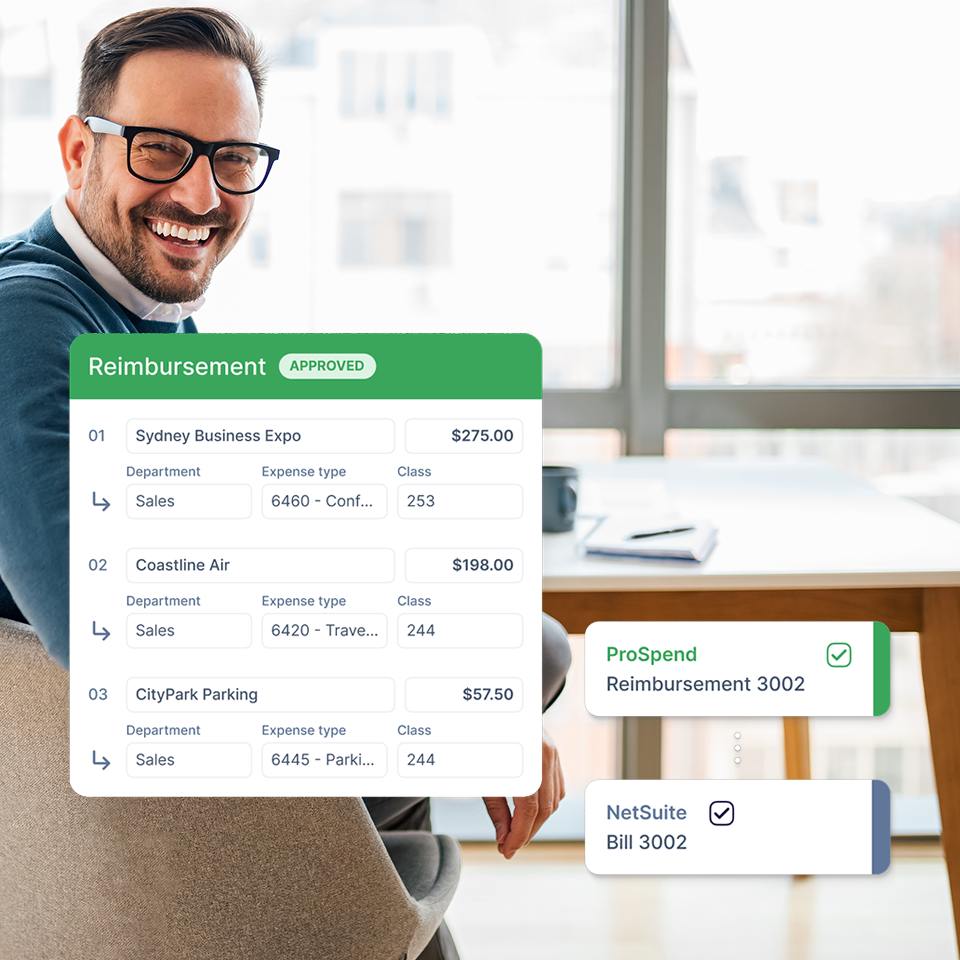
Capture and code expense claims in ProSpend before export. Apply the GL accounts, departments, classes and locations your finance team uses in NetSuite, plus configured custom fields and segments.

Send approved invoices into NetSuite as bills

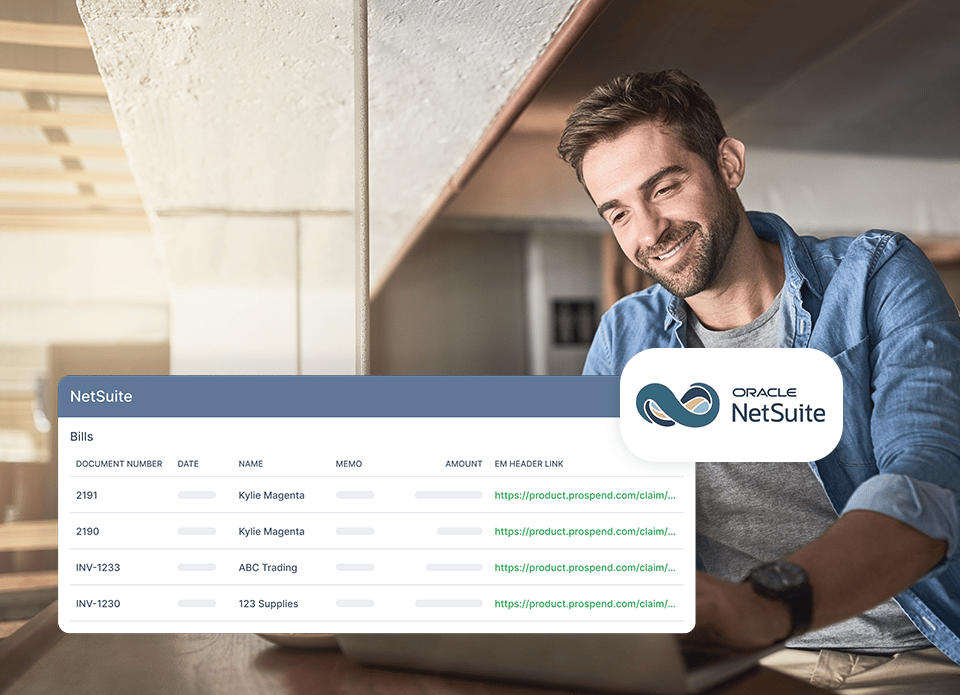
Capture, code, and approve supplier invoices in ProSpend before export. Approved invoices are created in NetSuite as bills through the configured API integration, with coding, GST treatment and supplier data applied. Supporting documents and a link back to the ProSpend record can be included where configured.

Reconcile card spend before it reaches the ledger

Bring supported card transactions into ProSpend for receipt capture, coding and approval throughout the statement period, reducing spreadsheet reconciliation and missing-receipt chasing at month-end. Approved card claims export to NetSuite as vendor bills, journal entries or expense reports, depending on your configured workflow.

Keep reimbursements inside the finance workflow

Employees submit out-of-pocket expenses in ProSpend with receipts and coding attached. Once reviewed and approved, cash reimbursements are exported into NetSuite as bills or expense reports, using the same approval and coding workflow as card expenses.


Support multi-currency spend

Capture foreign-currency expenses and reimbursements while preserving the original transaction currency. Where a NetSuite entity is maintained in a foreign currency, the configured integration can preserve that entity currency rather than forcing conversion before export.

Manage multiple entities, including during ERP migration

Run multiple NetSuite entities in one ProSpend instance, with entity-level coding, permissions and workflows. During a phased ERP migration, the same ProSpend instance can connect different entities to NetSuite, Xero or MYOB, so users keep one consistent spend workflow.

Keep every transaction easy to check

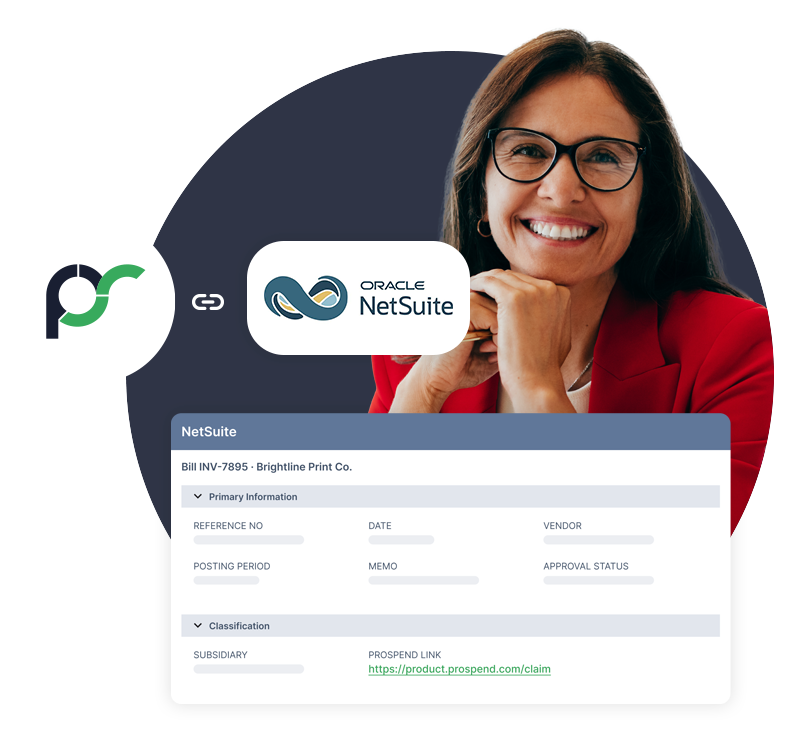
Exported NetSuite records can include a direct link back to ProSpend. For bills and expense reports, supporting documents can also be pushed into the NetSuite file cabinet, where configured, keeping the accounting record connected to its supporting documents and ProSpend history.

How to connect ProSpend to NetSuite

add_link_48dp_38AA5C_FILL0_wght400_GRAD0_opsz48

1. Connect 

Set up the SOAP API connection between ProSpend and NetSuite. ProSpend works with your team and your NetSuite implementation partner, where required, to configure the integration for your environment.

file_map_stack_48dp_38AA5C_FILL0_wght400_GRAD0_opsz48

2. Sync and map

Synchronise supplier records from NetSuite into ProSpend. Configure how your GL accounts, departments, classes, locations and any custom fields or segments are used in your ProSpend workflows.

dashboard_2_gear_48dp_38AA5C_FILL0_wght400_GRAD0_opsz48

3. Configure

Set your approval workflows, delegated limits, purchase order controls, spend policies and multi-entity requirements in ProSpend.


fact_check_48dp_38AA5C_FILL0_wght400_GRAD0_opsz48

4. Go live

Test the connection in a NetSuite sandbox before switching it live. Review and approve spend in ProSpend, then export approved records to NetSuite, or enable auto-export for approved records.

Over 350K

Active users on ProSpend

$9.5B

Total invoice spend processed

32K

Cards managed on the platform

$144M

Expense spend tracked per month

Everything the ProSpend NetSuite integration does

everything-netsuite_960

NetSuite SOAP API connection

Connect ProSpend to NetSuite through the SOAP API to export approved bills, journal entries and expense reports with the required coding. Sandbox testing is available before go-live.

Supplier sync

Synchronise supplier records from NetSuite into ProSpend for invoice processing.

NetSuite coding dimensions

Apply GL account, department, class and location coding, plus configured custom fields and segments, before transactions reach NetSuite.

Invoice automation

Capture, code and approve supplier invoices in ProSpend using OCR scanning and exception handling.

Duplicate and bank-detail checks

Flag potential duplicate invoices and supplier bank-detail discrepancies before they move further through the workflow.

Purchase order matching

Raise and approve POs in ProSpend, then match incoming invoices to approved POs using two-way matching and configurable tolerances.

Card reconciliation

Bring supported card transactions into ProSpend for receipt capture, coding and approval before export to NetSuite.

Cash reimbursement export

Export approved cash reimbursements into NetSuite as bills or expense reports.

Multi-currency support

Preserve the original transaction currency, including where a NetSuite entity is maintained in a foreign currency.

Multi-entity management

Manage multi-entity environments with entity-level coding, permissions and workflows, including phased ERP migrations.

Multi-level approval workflows

Route approvals by entity, department, supplier, cost centre and transaction value, with delegated limits and acting approvers for leave cover.

Direct links back to ProSpend

Exported records can include a direct link back to ProSpend, and documents can be pushed to the NetSuite file cabinet for bills and expense reports.

approval_960
Hollard Insurance
What NetSuite customers say

Hollard Insurance

Hollard Insurance, one of Australia and New Zealand’s leading insurance providers, chose ProSpend to bring accounts payable, expenses and travel reconciliation into one platform connected to its NetSuite ERP. Greg Browne, AP Manager at Hollard, talks through the team’s experience with ProSpend.

“We can now process a huge amount of travel invoices in one go, and it’s very automated, very, very efficient.”

Greg Browne
AP Manager, Hollard Group
 

Over 350K

Active users on ProSpend

$9.5B

Total invoice spend processed

32K

Cards managed on the platform

$144M

Expense spend tracked per month

FAQs

Frequently asked questions about ProSpend’s NetSuite integration

Does ProSpend integrate with NetSuite?

Yes. ProSpend connects to NetSuite through the SOAP API. Approved invoices, expense claims, reimbursements and card transactions are exported as vendor bills, journal entries or expense reports, depending on the record type and your configured workflow.

How is the NetSuite integration set up?

ProSpend works with your team, and your NetSuite implementation partner where required, to configure the SOAP API connection, coding structure and supplier synchronisation for your environment. Sandbox testing is available before you switch the connection live.

Which NetSuite dimensions does ProSpend support?

ProSpend can be configured with the NetSuite coding fields your team uses, such as GL accounts, departments, classes and locations, plus applicable custom fields and custom segments. The available fields depend on your integration configuration.

What data syncs between ProSpend and NetSuite?

Supplier records can be synchronised from NetSuite into ProSpend. Other coding fields, including GL accounts, departments, classes and locations, are configured in ProSpend during implementation rather than synced. POs created in NetSuite can also be synchronised into ProSpend for invoice matching.

How do AP invoices reach NetSuite?

Approved supplier invoices are created in NetSuite as bills through the configured API integration. Coding, GST treatment and supplier data are applied before export, and supporting files or a link back to the ProSpend record can be included for traceability.

Can ProSpend reduce manual invoice entry for NetSuite users?

Yes. ProSpend uses OCR scanning to extract key invoice details, including supplier, invoice number, line items, amounts and GST. Suppliers are matched against NetSuite master data, and invoices can be coded and approved before they are exported.

Can ProSpend detect duplicate invoices before they reach NetSuite?

Yes. ProSpend checks invoices against existing records and flags potential duplicates and supplier bank-detail discrepancies before they move further through the workflow.

Can ProSpend manage purchase orders for NetSuite users?

Yes. Raise and approve purchase orders in ProSpend, then match incoming invoices to them using two-way matching and configurable tolerances. POs created in NetSuite can be synchronised into ProSpend for matching. POs raised in ProSpend stay in ProSpend and are not exported to NetSuite.

How do card transactions reach NetSuite?

Supported card transactions are brought into ProSpend for receipt capture, coding and approval. Approved card claims are then exported through the configured NetSuite workflow as vendor bills, journal entries or expense reports.

Can ProSpend export employee reimbursements into NetSuite?

Yes. Approved cash reimbursement claims are exported into NetSuite as bills or expense reports, using the same approval and coding workflow as card expenses.

Can ProSpend support multiple NetSuite entities?

Yes. ProSpend can be configured for multi-entity NetSuite environments with entity-level coding, permissions and workflows. It can also support different ERP integrations across entities during a phased migration.

Does ProSpend support multi-currency spend for NetSuite entities?

Yes. ProSpend captures foreign-currency expenses and reimbursements while preserving the original transaction currency. Where an entity is maintained in a foreign currency in NetSuite, the configured integration can preserve that entity currency rather than forcing conversion before export.

Is the export to NetSuite automatic?

Auto-export can be enabled for approved records, or your finance team can control finalisation and export where required. Export settings depend on the workflow configured for your environment.

Will receipts and invoices remain accessible after export?

Yes. The supporting record remains available in ProSpend, and exported NetSuite records can include a direct link back to it. For bills and expense reports, supporting documents can also be pushed into the NetSuite file cabinet where configured.

Does ProSpend replace NetSuite?

No. NetSuite remains your financial system of record. ProSpend manages spend capture, coding, approvals, documentation and reconciliation before approved accounting data reaches NetSuite.

Take control of spend before it reaches NetSuite

See how ProSpend helps ANZ finance teams capture, code and approve invoices, expenses, purchase orders and card spend before approved data reaches NetSuite.

netsuite_cta_