One Unified Platform for spend management and proactive control

Expense Manager

AP Manager

Spend Management Software for Financial Controllers

No More Chasing Records, Keep Every Transaction Audit-Ready

Keep supporting documents, coding, approvals, exceptions and transaction history together from the start. ProSpend helps Financial Controllers catch missing information earlier, reduce month-end corrections and send clean, traceable data to the ERP, with the evidence ready for audit.

fc_feature

role_icon_1

Enforced approvals

Apply delegated authority and escalation rules consistently.


role_icon_2

Complete transaction records

Keep documents, coding, approvals and changes with the transaction.


role_icon_3

Cleaner ERP data

Capture the required accounting information before export.


role_icon_4

Invoice fraud and duplicate checks

Flag potential duplicate invoices, supplier bank-detail changes and policy exceptions for review before processing.

What ProSpend gives Financial Controllers
Accuracy, evidence and control for every transaction


Enforce delegated authority and approval rules

Configure approval paths around amount, entity, department, cost centre, project or spend type. Keep escalations and exceptions visible, with the complete approval history recorded against the transaction.
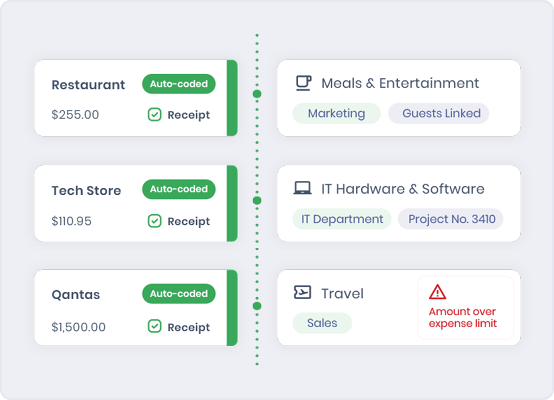
Keep every approval and document with the transaction

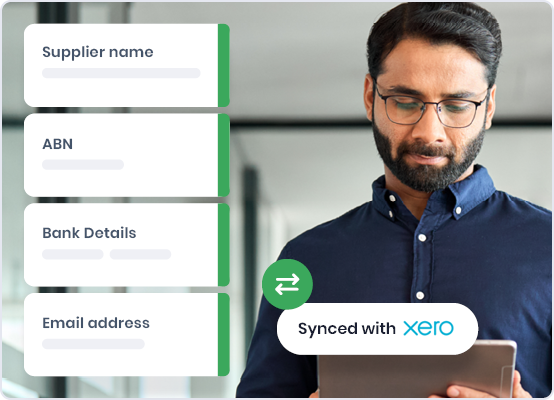
Retain supporting documents, coding, comments and approval history in the same workflow. Finance can retrieve the record without reconstructing it from email, shared folders and spreadsheets.

fc_source of truth

Improve coding quality before ERP handoff

Apply account, entity, cost centre, project and tax information earlier in the process. Review exceptions before approved information is exported to the ERP.

fc_coding

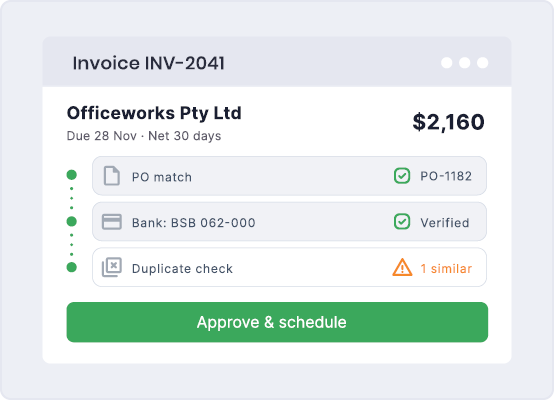
Strengthen invoice fraud and duplicate-payment controls

Flag potential duplicate invoices, supplier bank-detail changes and other exceptions for finance review before payment processing continues. Finance retains control of investigation and the final payment decision.

fc_controls

Capture GST and FBT evidence before the context is lost

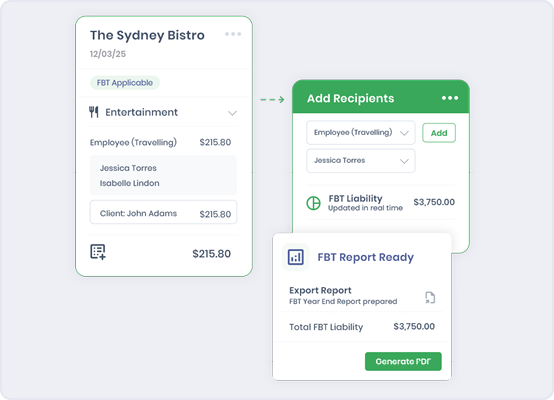
Capture tax information, expense categories and supporting documents during the transaction workflow. This reduces the work required to reconstruct GST and FBT evidence later. 

fc_compliant

Apply consistent controls across entities 

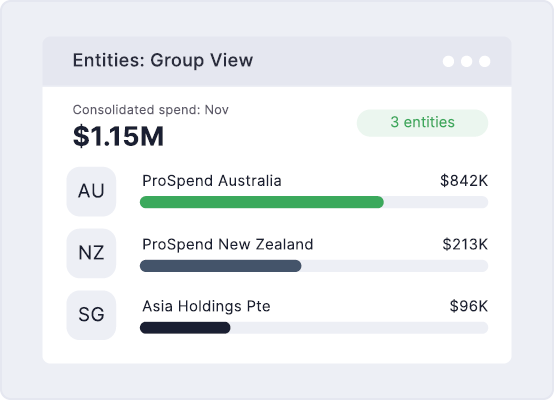
Apply entity-specific access, coding and approval requirements within one database while retaining central oversight. Give finance a consistent control structure across the organisation.

cfo_group_0

Send clean, traceable data to your ERP

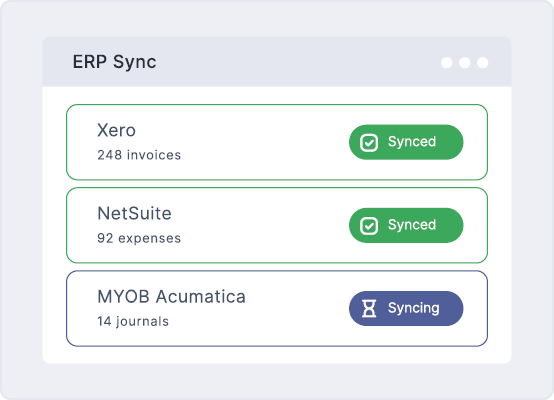
Send approved and coded spend information to the existing ERP with the required transaction references and finance dimensions. Confirm supported fields, status visibility and traceability for the organisation’s specific ERP during evaluation. 

fm_erp_554x400px

See the control behind every transaction  

Review the approval path, supporting documents, coding, exceptions and transaction history in one place. ProSpend gives Financial Controllers the evidence to verify how spend was reviewed, approved and prepared for the ERP.

AI Integration (1)

friends school_quote

“ProSpend makes it easy for our staff to submit and approve invoices and claims and makes complex workflows simpler.” 


The Friends’ School

Read their story

billini_quote

“The biggest benefit for us was the very intuitive user interface and because of this, there has been no user pushback.”


Billini Shoes

Read their story

kfc_quote_1

“KFC significantly reduced supplier invoice approval and payment times by several days. The process is now faster, fully visible and completely paper free.” 

KFC Australia

Read their story

Built for the whole finance team

Different finance roles evaluate spend management through different priorities. Explore how ProSpend supports control, operational improvement and accounting assurance across the buying group.

role_cfo
CFO

Proactive financial control, business impact and implementation confidence.

Learn more
role_fm
Finance Manager

Less manual work, practical adoption and smoother finance operations.

Learn more
role_fc
Financial Controller

Enforced controls, accounting accuracy and audit confidence.

Learn more

 FAQs 

What should a Financial Controller look for in spend control software?

Financial Controllers should assess whether the platform can enforce delegated authority, retain documents and approval history with each transaction, support entity-specific coding and controls, and identify potential duplicates or supplier-detail changes before payment.
The evaluation should also confirm GST and FBT evidence capture, ERP data movement, security, Australian data residency and the handling of exceptions.

How does ProSpend create an audit trail?

ProSpend keeps transaction information, supporting documents, coding and workflow history together. The exact record available depends on the module and the organisation’s configured process.

How does spend control software support internal audit?

 Spend control software can keep transaction details, supporting documents, coding, approvals, changes and exceptions within one record. This gives internal audit and finance a clearer history of what happened, who approved it and what information was sent to the ERP.
The available reports, access and record format should be confirmed against the organisation’s audit requirements.

Can ProSpend enforce delegated authority?

 Approval workflows can be configured around factors such as value, entity, department, cost centre, project and spend type. The organisation’s delegated authority rules should be mapped during discovery.

How does ProSpend improve accounting accuracy?

ProSpend captures coding, entity, cost centre, project and tax information within the workflow and allows finance to review exceptions before approved information is sent to the ERP.

How does ProSpend help prevent invoice fraud and duplicate payments?

ProSpend can flag potential duplicate invoices, supplier bank-detail changes and other exceptions for finance review before payment processing continues. Finance retains control of the review and final payment decision.
The available controls and matching logic should be confirmed against the current Fraud Control functionality.

How does ProSpend support GST and FBT evidence capture?

 ProSpend can capture tax information, expense categories and supporting documents during the transaction workflow, rather than requiring finance to reconstruct the evidence later. This supports a more complete record for GST and FBT review. ProSpend supports the finance process but does not replace professional tax advice or guarantee compliance with ATO requirements.

Can ProSpend support multiple entities and entity-specific controls?

ProSpend can support multiple entities in one database with entity-specific access, coding and approval requirements. The final configuration depends on the organisation’s structure and ERP.


What security and data residency information is available?

 ProSpend provides current security and Australian data residency information for technical, procurement and risk review. Details covering hosting, access and platform controls are available on the Security and Privacy Controls page here: https://prospend.com/security-privacy-controls 

Can ProSpend help Financial Controllers maintain control across budgets and cost centres?

 ProSpend can connect coding, cost centre allocation, purchase activity and budget visibility within the spend workflow. This helps finance review how transactions are allocated and identify commitments earlier. The available controls and reporting should be confirmed against the current Budgets and Purchase Orders capability. 

See how ProSpend builds control into every transaction 

Book a customised walkthrough of delegated authority, coding, evidence, exceptions and ERP traceability. 

fc_cta