







One Unified Platform for spend management and proactive control

Expense Manager

AP Manager

ProSpend + Sage Intacct

Sage Intacct Integration Built for Australian Finance Teams

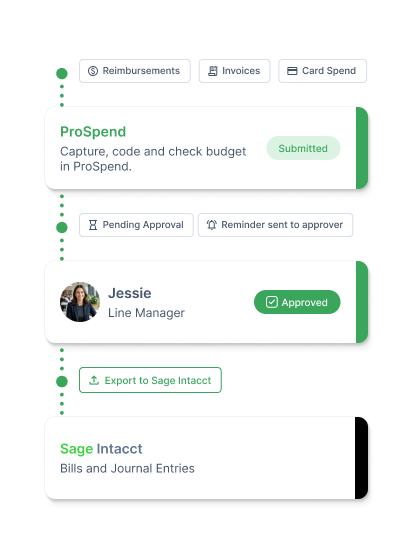
Capture, control, and approve business spend in ProSpend before exporting expenses, supplier invoices, purchase orders, and card transactions to Sage Intacct.

sage-intacct-hero
ProSpend + MYOB Acumatica

MYOB Acumatica Integration Built for Australian Finance Teams

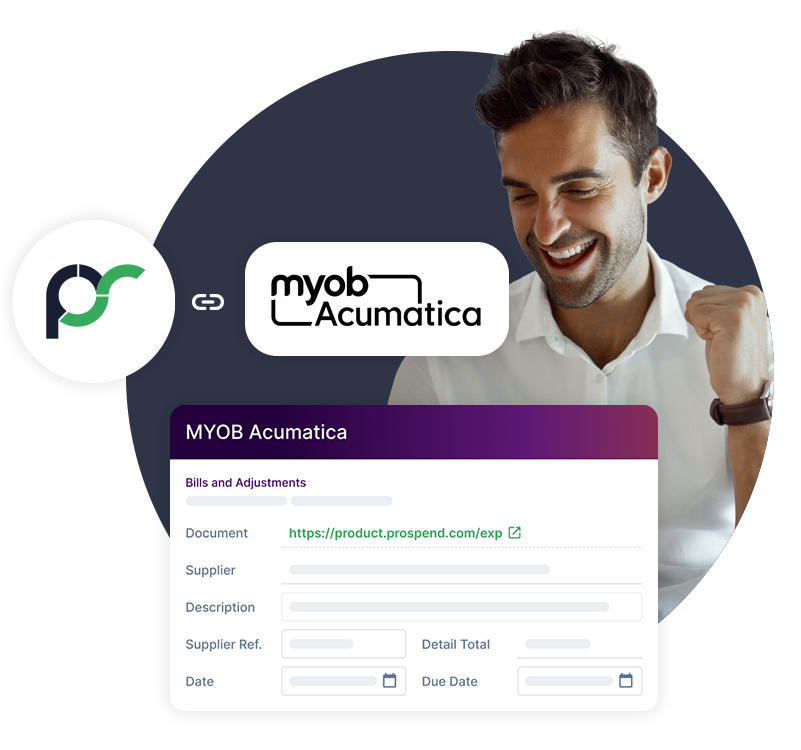
Capture, control and approve business spend in ProSpend before expenses, invoices, purchase orders and card transactions are exported into MYOB Acumatica.

acumatica-hero

Trusted by ANZ finance teams

  • Friends School
  • Monash College
  • ASPA-Loop-700px-1
  • Kempsey Adventist School
  • Macquarie University
  • Port Macquarie Adventist School
  • ProSpend Website Logo Carousel - Stakeholder Logos
  • University of Queensland

What you get with Sage Intacct and ProSpend

Manage business spend in ProSpend before it reaches Sage Intacct. Capture expenses, automate invoice processing, control purchasing activity and reconcile card transactions with the approvals, coding and supporting documents already in place.

search_insights_48dp_FFF_FILL0_wght400_GRAD0_opsz48

Control spend before the approved data reaches Sage

Capture receipts, coding and approvals before transactions reach Sage Intacct. Finance gets the supporting detail earlier and spends less time chasing missing information.

Auto_Code-png

Make coding consistent across every transaction

Apply the Sage Intacct GL accounts and configured dimensions your team uses, including departments, projects, cost centres, classes and locations.

data_check_48dp_FFF_FILL0_wght400_GRAD0_opsz48

Connect through API

Move approved expenses, invoices and related accounting data into Sage Intacct through the configured API workflow.


Sync Sage Intacct Data Without the Hassle

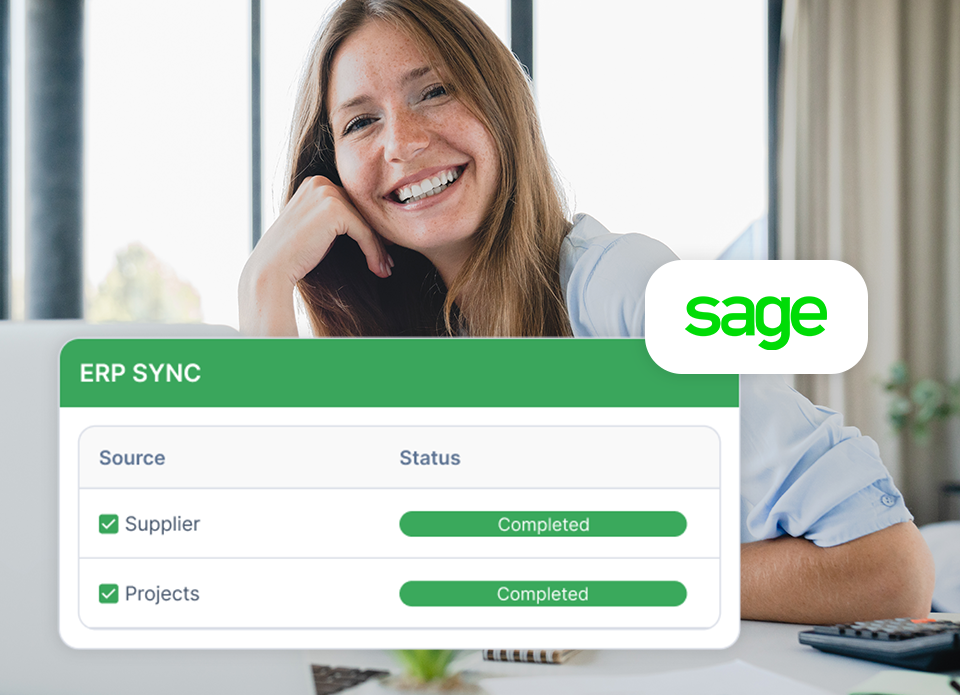
Synchronise active suppliers, projects and project tasks with Sage Intacct so Finance can reuse the master data needed for coding and invoice processing in ProSpend. Configure the Sage Intacct coding structure used in ProSpend workflows during implementation.


Reduce Manual
Invoice Entry

ProSpend uses OCR scanning to extract key supplier invoice details so Finance can review, code and approve invoices before approved data reaches Sage Intacct.


Check Supplier Details Before Processing

Supplier bank details can be checked against Sage Intacct records to flag discrepancies before an invoice progresses. Keep this control inside the invoice workflow so Finance can review exceptions before approved data is sent to Sage Intacct.


Match Purchase Orders 
Before Final Accounting

Raise and approve purchase orders in ProSpend, then match incoming invoices against the approved PO before final accounting. Review the invoice and purchasing context in one workflow before approved invoice data reaches Sage Intacct.


Code Expenses Against the Right Sage Intacct Dimensions

Capture and code expense claims in ProSpend before export. Apply the Sage Intacct GL accounts and configured dimensions your finance team uses, including departments, projects, cost centres, classes and locations. Default coding can also reduce repetitive manual selection for users.


Send Approved AP Invoice Data into Sage Intacct

Capture, code, and approve supplier invoices in ProSpend before export. Approved invoice data can then be sent to Sage Intacct through the configured API integration, with the ProSpend source record kept available for supporting detail and traceability.


Reconcile Card Spend in Sage Intacct

Capture receipts, code and approve supported card claims in ProSpend before export. Approved credit card claims can be exported to Sage Intacct as journal transactions or bills. Journal exports include expense and clearing account lines. Where the customer’s bank or card program does not provide a live feed, statement or CSV handling may still be required.


Keep Reimbursements Inside the Finance Workflow

Employees can submit out-of-pocket expenses in ProSpend with receipts and coding attached. Reimbursements can be routed through manager or delegated approval before the configured accounting output is sent to Sage Intacct.


Manage Multiple Sage Intacct Entities in One Place

Configure ProSpend around multi-entity Sage Intacct structures, including shared charts of accounts, entity-specific coding and controlled user access. Multiple Sage Intacct entities can be linked through separate categories in ProSpend. Invoices can be coded and split across entities before approved accounting data is sent to Sage Intacct.

Keep Every Transaction Easy to Check

Sage Intacct transactions include a direct link back to the relevant ProSpend record. Finance can open the supporting receipt or invoice, transaction details, audit history and linked purchase orders from the ProSpend record.

How to connect ProSpend to Sage Intacct

add_link_48dp_38AA5C_FILL0_wght400_GRAD0_opsz48

1. Connect 

Set up the API connection between ProSpend and Sage Intacct. ProSpend works with the customer and implementation partner to configure the integration.

file_map_stack_48dp_38AA5C_FILL0_wght400_GRAD0_opsz48

2. Sync and Map

Synchronise the active Sage Intacct master data required for the workflow, including suppliers, projects and project tasks. Configure GL accounts, dimensions and coding fields for use in ProSpend.

dashboard_2_gear_48dp_38AA5C_FILL0_wght400_GRAD0_opsz48

3. Configure

Set approval workflows, delegation rules, purchase order controls, and multi-entity requirements in ProSpend.


fact_check_48dp_38AA5C_FILL0_wght400_GRAD0_opsz48

4. Go live

Review and approve spend in ProSpend, then send approved accounting data into Sage Intacct through the configured workflow. In most cases, exported journals and bills arrive as drafts for Finance review.

Over 300K

Active users on ProSpend

$147 M

Expense spend tracked per month

Nearly $9B

Total invoice spend processed

29K

Cards managed on platform

 Everything the ProSpend Sage Intacct Integration Does 

everything_1.1

API based integration

Connect ProSpend with Sage Intacct through the configured API integration.

Credit card journals or bills

Export approved credit card claims as journal transactions or bills. Journal exports include expense and clearing account lines.

Active supplier sync

Synchronise active supplier records with Sage Intacct.

Project and project task sync

Synchronise active projects and project tasks with Sage Intacct.

Sage Intacct dimensions

Use configured GL accounts and dimensions including departments, projects, cost centres, classes and locations.

Purchase order matching

Raise and approve POs in ProSpend, then match incoming invoices against approved purchase orders before final accounting.

Invoice automation

Capture, scan, code and approve supplier invoices before approved data reaches Sage Intacct.

Supplier detail checks

Check supplier bank details against Sage Intacct records to flag discrepancies before processing.

Cash reimbursements

Capture, code and approve employee reimbursements inside the same finance workflow.

Direct links back to ProSpend

Open receipts or invoices, transaction details, audit history and linked purchase orders from the connected ProSpend record.

Multi-level approvals

Apply configured approval routing using criteria including cost centre, department, invoice amount and supplier.

Multi-entity management

Link multiple Sage Intacct entities through categories in ProSpend, with entity-specific coding and controlled user access.

Draft export review

In most cases, exported journals and bills arrive in Sage Intacct as drafts so Finance can review or edit before posting or release.

Australian implementation and support

ProSpend became the first local Australian partner to offer cloud expense and invoice management software on the Sage Intacct Marketplace in 2020 and provides local implementation and support.

Everything2 - Sage
Friends School - ProSpend Case Study
What MYOB Acumatica Customers Say

The Friends’ School

The Friends’ School chose ProSpend to simplify spend management and connect finance workflows with its MYOB Acumatica (previously Advanced) ERP. The integration gives the team a more direct path back to supporting detail and approvals from within the ERP.


“ProSpend is a certified add-on to MYOB Acumatica (previously Advanced), and the integration process is so easy.”

Mia Barwick
Accountant, The Friends’ School

FAQs

Frequently Asked Questions About ProSpend’s MYOB Acumatica Integration

Does ProSpend integrate with Sage Intacct?

Yes. ProSpend connects with Sage Intacct through an API integration configured around the customer’s coding structure, dimensions, master data and required transaction outputs.

What data can be synchronised between ProSpend and Sage Intacct?

Active suppliers, projects and project tasks can be synchronised with Sage Intacct. The required coding structure and other configurations are confirmed during implementation.

Which Sage Intacct dimensions can ProSpend support?

ProSpend can be configured around Sage Intacct GL accounts and dimensions, including departments, projects, classes, locations and cost centres.

Can ProSpend support multiple Sage Intacct entities?

Yes. Multiple Sage Intacct entities can be linked through separate categories in ProSpend, with coding and user access configured around the organisation’s entity structure.

Can ProSpend match purchase orders and invoices for Sage Intacct users?

Yes. Teams can raise and approve purchase orders in ProSpend, then match incoming invoices against the approved PO before the approved invoice data reaches Sage Intacct.

How are card transactions exported to Sage Intacct?

Approved credit card claims can be exported to Sage Intacct as journal transactions or bills. Journal exports include expense and clearing account lines. Where the customer’s bank or card program does not support a live feed, statement or CSV handling may still be required.

Can ProSpend manage employee reimbursements with Sage Intacct?

Yes. Employees can submit reimbursements in ProSpend with receipts and coding attached, then route them through the configured approval workflow before the accounting output is sent to Sage Intacct.

Will receipts and invoices remain accessible after export?

Yes. Sage Intacct transactions include a direct link back to the relevant ProSpend record, where Finance can access the supporting receipt or invoice, transaction details, audit history and linked purchase orders.

Are Sage Intacct exports posted automatically?

The integration is configured around the customer’s required workflow. In most cases, exported journals and bills arrive in Sage Intacct as drafts so Finance can review or edit them before posting or release.

Does ProSpend replace Sage Intacct?

No. Sage Intacct remains the financial system of record. ProSpend manages spend capture, coding, approvals, documentation and reconciliation before approved accounting data reaches Sage Intacct.

How is the Sage Intacct integration set up?

ProSpend configures the API connection, coding structure, required master data, approval workflows and synchronisation settings around the customer’s Sage Intacct environment during implementation.

Is ProSpend an Australian Sage Intacct Marketplace partner?

Yes. ProSpend became the first local Australian partner to offer cloud expense and invoice management software on the Sage Intacct Marketplace in 2020.

Take Control of Spend Before It Reaches Sage Intacct

See how ProSpend helps Australian and New Zealand finance teams capture, code and approve expenses, supplier invoices, purchase orders and card spend before approved accounting data reaches Sage Intacct.

sage_cta_1